- The Software
- Support
- The System

The
UC Clipboard
The UC Clipboard allows you to work with files in ways that aren’t
possible with standard Windows copy and paste facilities.
The UC Clipboard lets you to copy or cut multiple sections of text
or graphics without having to immediately paste them, and to collect one
or many pieces of information in clipboard-like files that don’t disappear
when you turn off your computer.
The different types of UC Clipboard files have different behavior,
and the differences make them appropriate for different uses.
Multiple clipboards
The 1-20 files function as a multiple Windows clipboard for text.
When you copy text to these files, the new text replaces existing text.
More permanent files
List 1-20 files, Alpha-Zulu files, and Doc 1-20 files are more permanent.
New text is added to the bottom of a file.
List 1-20 files, Alpha-Zulu files, and Doc 1-20 files are useful
for keeping lists, collecting Internet addresses, establishing a junk file
for saving cut text rather than deleting it, and establishing an easy-to-call-up
working file that can later be given a permanent file name.
Because Alpha-Zulu files open in WordPad, they preserve formatting.
Because the Doc 1-20 files open in Word, they preserve text formatting
and also handle graphics and images.
| 1. 1-20 files in action (new
text replaces existing text) "Copy to 1 File" copies the current selection, in this case "First selection", to the 1 File UC Clipboard file: 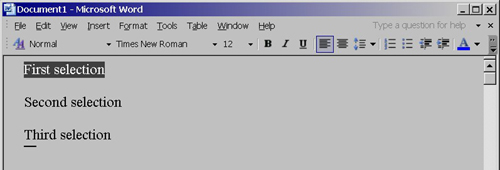
"1 File" opens the 1 File UC Clipboard file, showing that the selection has been copied: 
"Copy to 1 File" copies "Second selection" to the 1 File UC Clipboard file: 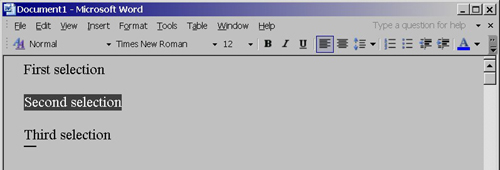
"Copy to 1 File" copies "Third selection" to the 1 File UC Clipboard file: 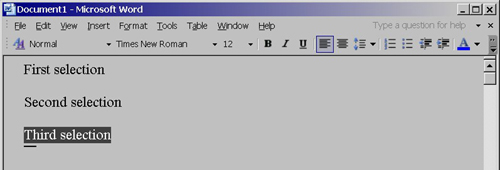
"1 File" opens the 1 File UC Clipboard file, showing that only the most recent selection is saved: 
2. List 1-20 files in action (new text is added) Copying the same three selections to List 1 File, however, saves all three. - select the first selection - "Copy to List 1 File" - select the second selection - "Copy to List 1 File" - select the third selection - "Copy to List 1 File" "List 1 File" opens the List 1 File UC Clipboard file, showing all three saved selections: 
3. Pasting UC Clipboard files "1 File Paste" pastes the contents of 1 File into the active window, in this case a blank WordPad document: 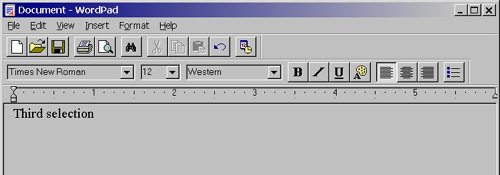 "List 1 File Paste" pastes the contents of List 1 File into the active window: 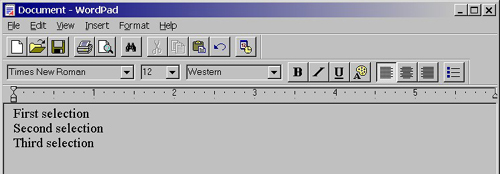
Back to Utter Command overview
|