- The Software
- Support
- The System

Utter
Command On-screen Guides
The 36 On-screen Guides are lists of helpful information that appear
in a window on the right side of your screen when you call them up.
They include lists of program commands like Top Word Commands, tour scripts
like the UC Whirlwind Tour, drill guides like Key Combinations Drills, reference
lists like the Alpha-Zulu words, and seven custom guides that you can use
to keep your own notes or lists.
This screenshot shows the UC Alpha-Zulu Words guide, which lists
the radio operator words you can use as an alternative to saying letter
names.
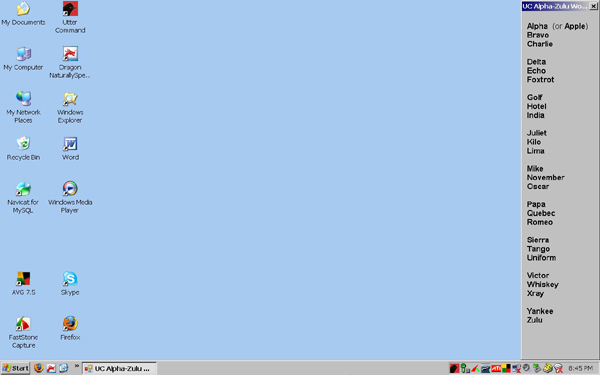
The 36 On-screen Guides
| Program command lists: Top General Commands Top Email Commands Top Web Commands Top Word Commands Top Excel Commands Top PowerPoint Commands Top Reader Commands |
Tour scripts and drill guides: Whirlwind Tour Advanced Whirlwind Tour Task Tours Review Tours 1-10 Correction Drills Key Combinations Drills Text Drills 1-4 |
Reference lists and custom guides: Key Names Alpha-Zulu Words Standard Lists Custom 1-7 |
You can call up an On-screen Guide with a single command by saying "UC" followed by the first word of the guide name. You'll also find the guides in the third section of the UC menu.
Top command guides examples
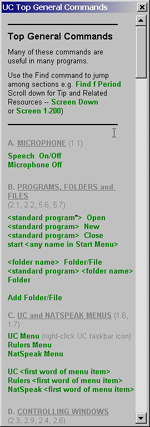 |
"UC Top General" This guide shows the basic commands for using Utter Command and controlling your computer. |
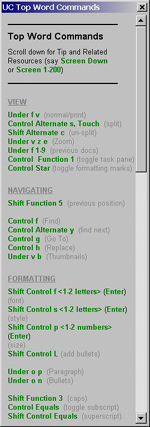 |
"UC Top Word" This guide shows the top keyboard shortcuts for Word. You can say keyboard shortcuts by speech and combine keyboard shortcuts to carry out several keyboard/mouse actions at once. |
| Tour scripts guides examples |
|||
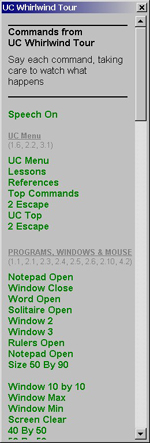 |
"UC Whirlwind" This guide lists the commands in the Whirlwind Tour. |
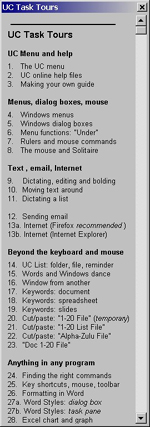 |
"UC Task" This guide lists the commands for each of the 34 Task Tours. |
| Custom guides
example |
|||
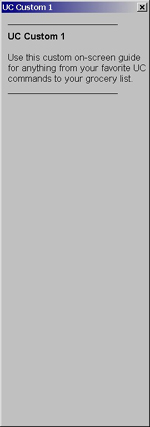 |
"UC Custom 1" Use the seven custom guides to keep your own notes or lists. |
||
Back to Utter Command overview Back to Elements of Utter Command
| Videos | Buy Now |